 Homelab Sonar
Open-source, self-hosted home lab dashboard — LAN scanner, network monitor, Proxmox manager, and app launcher in one place.
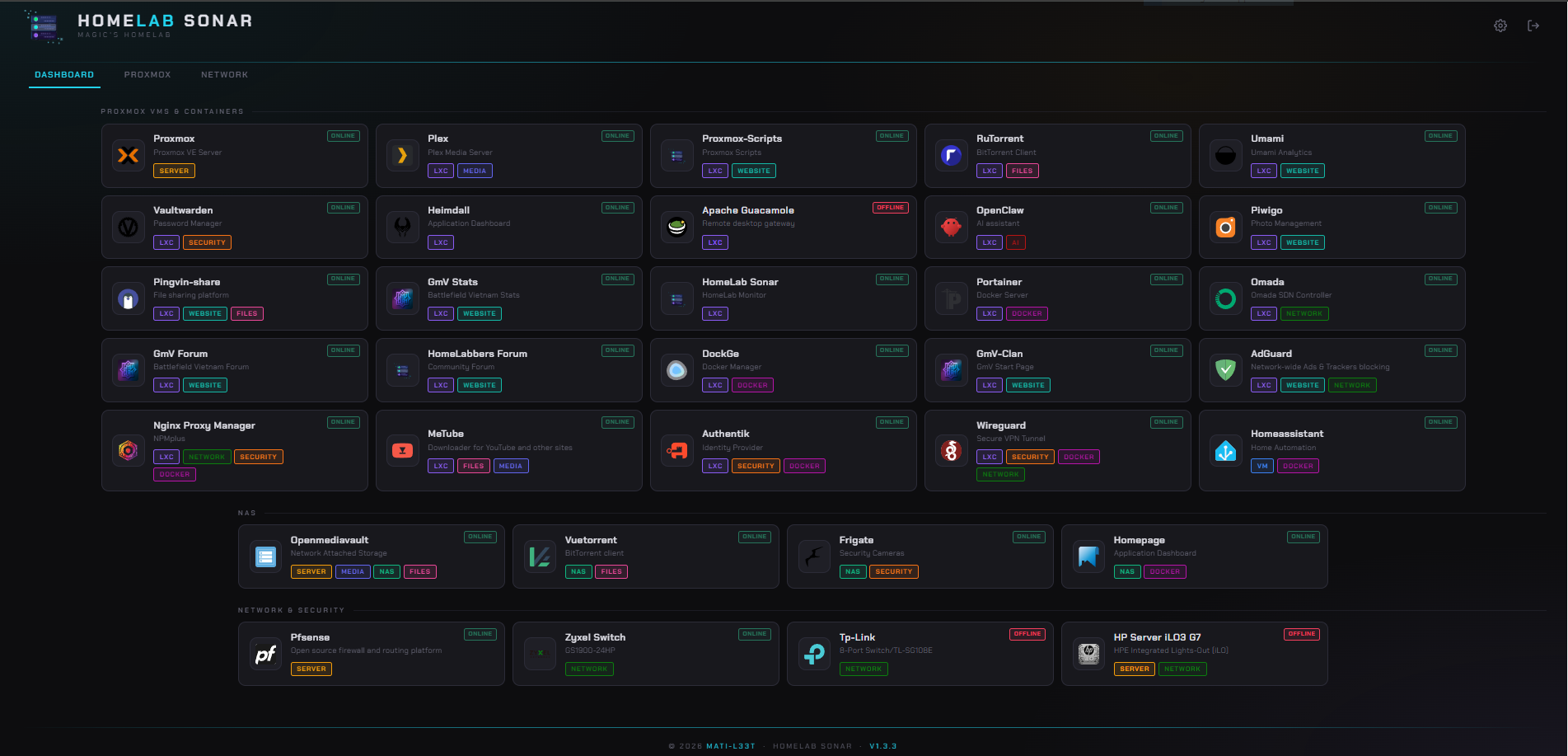
Homelab Sonar
Installation
On Proxmox host:
1
bash <(curl -fsSL https://raw.githubusercontent.com/Mati-l33t/lan-tracker-network-sonar/main/proxmox/install.sh)
On existing Debian/Ubuntu:
1
bash <(curl -fsSL https://raw.githubusercontent.com/Mati-l33t/lan-tracker-network-sonar/main/install.sh)
Features
- App dashboard — live status badges for your self-hosted services
- ARP discovery — scans the LAN, identifies devices with MAC address, hostname, vendor, and latency
- IP address management — manage static and DHCP ranges from the UI
- 7-day uptime visualization — per-device activity history at a glance
- Port scanning — view open ports per device
- Network topology map — visual layout of discovered devices
- Proxmox integration — node and VM oversight via API token (read-only by default)
- Dark/light theme — toggle via the UI
- Auto-restart — runs as a systemd service
Proxmox Integration
Connects via API token with restricted permissions: VM auditing, power management, node statistics, and backup visibility. VM creation, deletion, and configuration changes are explicitly excluded.
Security
Initial access requires no authentication — configure a password immediately via Settings after first login. Login can be disabled entirely for trusted network environments.
Configuration
Runtime config:
1
/etc/lan-tracker/lan-tracker.conf
Update
1
bash <(curl -fsSL https://raw.githubusercontent.com/Mati-l33t/lan-tracker-network-sonar/main/update.sh)